Attendance, verified
Every participant gets a personal QR code bound to their event and nobody else's. Import your roster, badges go out automatically, and check-in keeps working even when the wifi doesn't.
No credit card to start. Set up your first event in minutes.
Built for professors taking daily roll call, conference organizers scanning hundreds at the door, and training coordinators tracking attendance across a multi-session course.
How it works
No separate app to configure, no manual badge design — the whole path from registration to check-in is already wired together.
Upload a spreadsheet with your participants, or add people one at a time from the dashboard.
Every participant gets a PDF with their name and a personal QR code, emailed automatically.
Tick names off a list, let participants scan themselves in, or scan their badge yourself — pick what fits each session.
Offline check-ins queue on the device and sync the second the connection's back. Reports update as it happens.
See it running
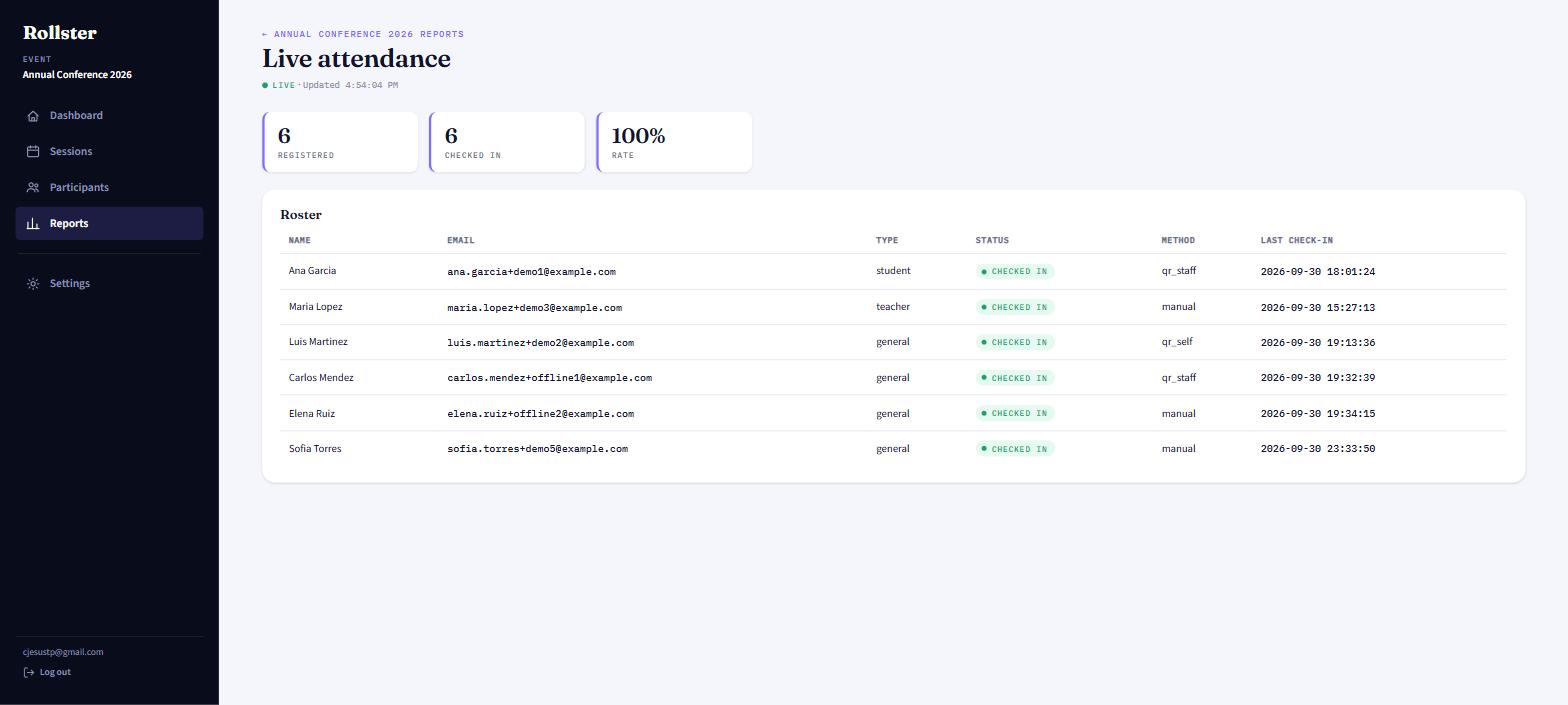
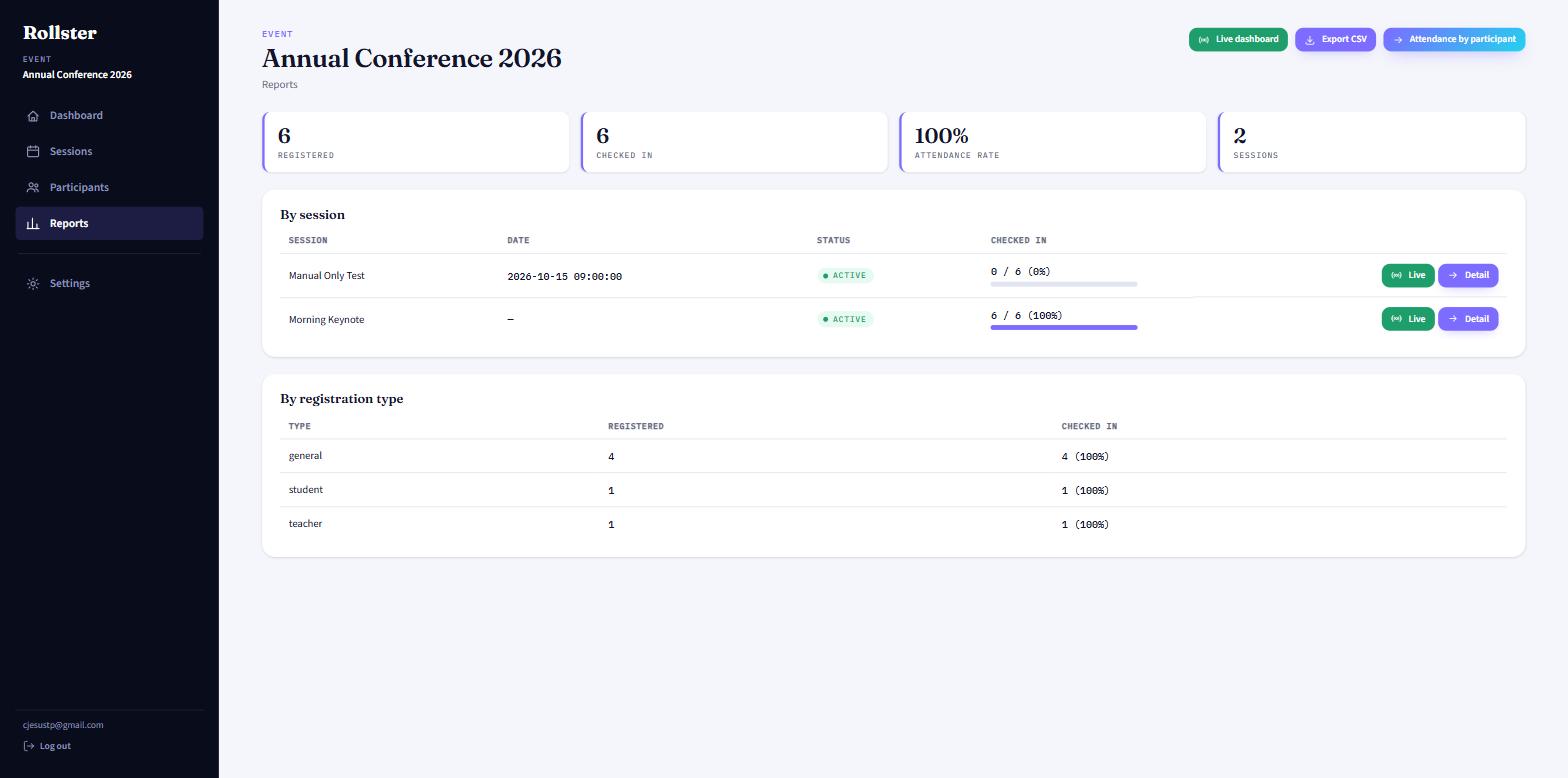
Every number here comes from the same reports screen you'll use — live attendance, per-session breakdowns, and a one-click PDF export.
What you get
A code from a different event — or a screenshot of someone else's — should never work. Rollster enforces that everywhere, online or off.
Import a spreadsheet or add people by hand. Every registration gets a PDF with their name, your logo, and a personal QR code, emailed automatically — no separate design step.
Tick names off a list, let people scan themselves in, or scan their badge yourself. The venue code rotates every few seconds — so a screenshot won't work twice — and check-ins keep queuing with no wifi, syncing the moment you're back online.
Attendance rate by session or registration type, exportable as CSV or a print-ready PDF — or watch it live, while check-in is still happening.
The whole point
A paper sign-in sheet trusts people to be honest. Rollster doesn't have to.
Who it's for
Daily roll call across a semester, with a real attendance-rate report per student instead of a paper sheet in a drawer.
Hundreds of badges scanned at the door, with a venue code that rotates so a forwarded screenshot never gets someone in.
Multi-session courses where attendance across every session matters for a certificate — tracked automatically, not by hand.
Pricing
Running events all year round? The subscription pays for itself after four events. One conference this quarter? Buy a single pass and you're done.
Unlimited events while your subscription is active. Cancel any time. Or save with annual — $89.99/year, 2 months free.
One event, start to finish. No recurring charge, nothing to remember to cancel.
Questions
Yes. Once a device has loaded a session at least once while online, it can validate and queue check-ins with no connection at all. They sync automatically the moment the device is back online.
No. The projected venue code rotates every few seconds, so a photo or a forwarded screenshot stops working almost immediately. A participant's personal code only ever works for the event it was issued for.
Yes — Rollster accepts a fixed six-column XLSX format (first name, last name, email, phone, institution, registration type). Rows with bad data are flagged with a clear error instead of being silently skipped.
It stays valid for 60 days from the moment you pay — plenty for one conference or term, with unlimited sessions and no extra charge in between. You can close and reopen that event as many times as you need within those 60 days; once the window passes, it closes for good. Starting a second event needs either another single-event pass or the monthly subscription.
Nothing — your roster, badges, and check-in history live on Rollster's servers, not on the device. Log in from any phone or computer and everything's exactly where you left it. The only thing a device ever keeps on its own is a short-lived queue of check-ins made while offline, and that clears itself the moment it syncs.
You do. Rollster processes it on your behalf to run check-in and reporting for your event — see the Privacy Policy for the full detail.
Set up your first event free — no credit card required.